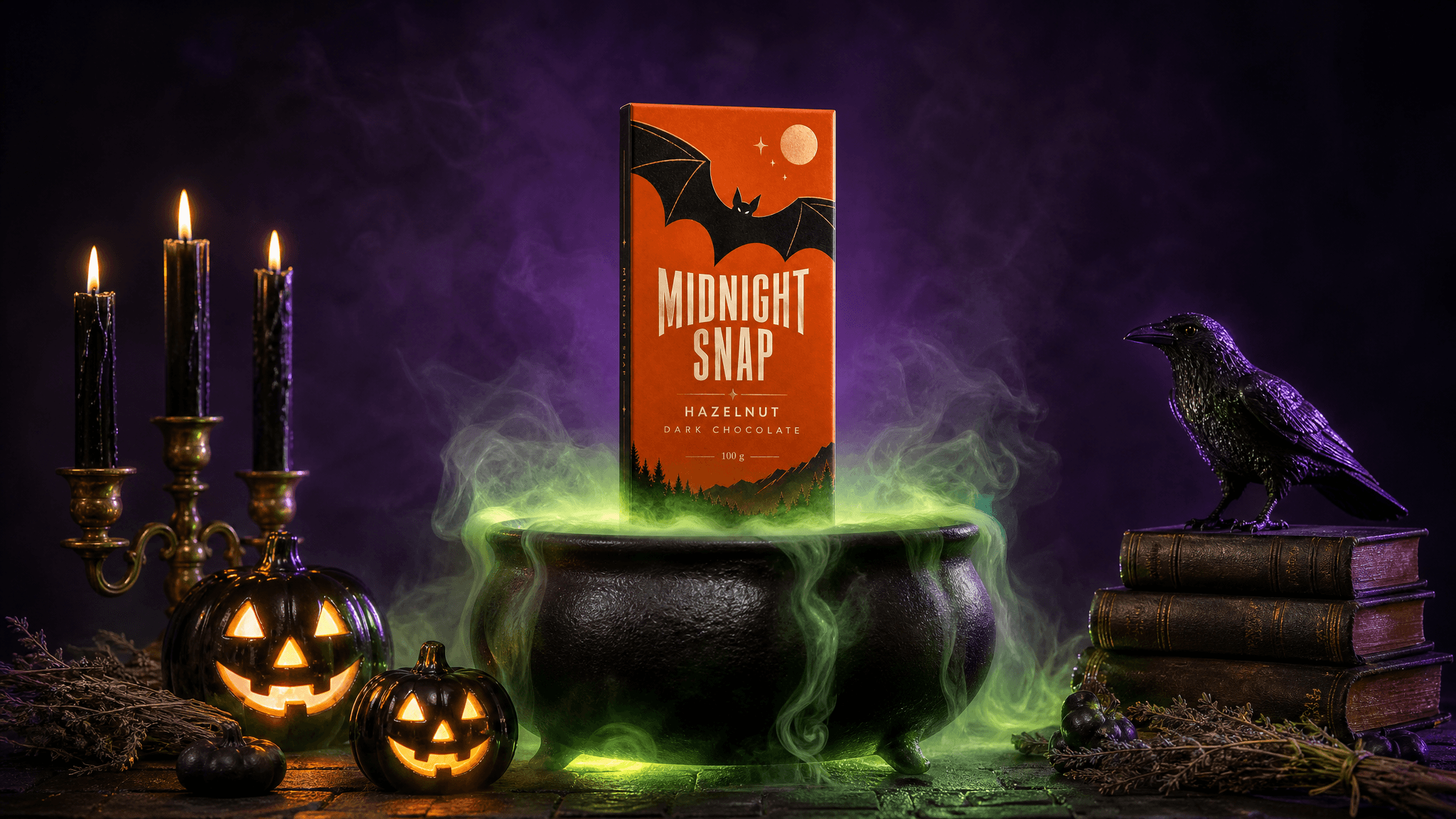
Use Halloween AI prompts and templates to turn your product photos into seasonal campaigns for food, skincare and fragrance brands.
Halloween AI product photography starts with a clear product image and a brief for the scene around it. You choose the mood, lighting and composition, then check the generated image against the product you actually sell.
The AgentDocks Halloween collection includes ready-made templates for food, skincare and fragrance campaigns. Below are six directions to explore, with original prompts you can adapt and links to the corresponding templates.
Choose a Halloween look that fits your product
Start with the mood you want customers to associate with your brand.
For a colourful snack or casual restaurant, friendly ghosts and bright pumpkin props can make a playful campaign. Fragrance and skincare can take a more atmospheric direction with moonlight and rich purple tones. Cocoa, tea and chocolate also suit warm candlelight and autumn textures.
There is room for each approach. Pinterest’s 2025 Halloween guidance highlighted nostalgic styling and party aesthetics alongside costumes. Its current US Trends overview also features “Vamp Romantic” among its editorial picks for beauty and fashion. These are useful creative references when choosing a direction. Pinterest Halloween guidance · Pinterest Trends.
Once you choose a mood, keep the product easy to recognise. Use the seasonal setting to draw attention to its shape, packaging or texture.
Six Halloween AI product photography prompts to try
These prompts are starting points for your own creative exploration. Attach a clear product reference when using them in Create Studio. Choose an image model that accepts reference images and adapt the instructions to your product.
Each linked template offers a prepared version of the featured direction. The prompts below are separate creative briefs, so they will not necessarily reproduce the template preview.
1. Playful ghosts for restaurant and snack campaigns
Two ghosts wearing sunglasses give a food campaign a light, humorous tone. Keep the meal or snack in front so people can see what you are offering.

Prompt
Use the uploaded food product as the reference. Place it at the centre of a wooden table, with two friendly sheet ghosts wearing black sunglasses seated behind it. Use a smoky blue background and soft light across the food. Keep the original packaging, logo, portion size and visible ingredients faithful to the reference. Leave the product fully visible and in sharp focus. Keep the ghosts slightly softer in the background. Add no extra food or lettering.
Campaign idea: Use this direction for a Halloween takeaway special or a snack for a movie night. Put the offer and ordering details into the finished design.
2. A violet moon for fragrance photography
A purple night scene gives perfume a theatrical setting. Soft light on the front of the product helps separate the label from the darker surroundings.

Prompt
Create a Halloween fragrance campaign using the uploaded perfume as the product reference. Place it on a small moss-covered platform beneath a glowing lavender moon. Add a few miniature pumpkins at the edges of the scene and distant bat silhouettes. Use violet background light with a soft neutral light on the front of the perfume. Preserve the original glass colour, cap, proportions and label. Keep props below the label and leave a quiet area above the product for a headline. Add no new text.
Campaign idea: Build a seasonal fragrance feature with a strong main image and a closer crop showing the packaging.
3. A harvest moon for skincare campaigns
Warm gold light, moss and small pumpkins can give a cream or serum a seasonal setting. Match the warmth of the scene to the product’s existing colours.

Prompt
Use the uploaded skincare product as the reference for a Halloween campaign photograph. Place it on a low stone platform surrounded by moss and small pumpkins. Add a large golden harvest moon in the distance and a softly glowing lantern to one side. Use warm background light while keeping the packaging colour accurate. Preserve the product shape, lid, proportions and label. Keep the front of the product unobstructed. Do not add ingredients, claims or text.
Campaign idea: Introduce an autumn skincare edit using products already in your range. Describe their real benefits in the accompanying copy.
4. Bat shadows for chocolate and packaged food
A recognisable shadow can carry the Halloween theme while leaving the packaging clear. This is a useful direction when you want a simple composition with strong contrast.

Prompt
Create a vertical Halloween product photograph using the uploaded chocolate product. Stand the packaging upright on a dark surface against a burnt-orange wall. Cast two soft-edged bat shadows onto the wall behind it. Light the front of the packaging clearly and preserve its shape, printed design and colours. Keep the scene uncluttered, with space above the product for campaign copy. Do not add loose ingredients, change the packaging or generate lettering.
Campaign idea: Pair the image with a short seasonal headline for a Story or a product promotion.
5. A cosy Halloween scene for cocoa and tea
A textured blanket, candlelight and a small pumpkin create a quieter autumn mood. This direction suits products people enjoy at home, such as cocoa, tea and packaged treats.

Prompt
Use the uploaded packaged drink product as the reference. Place it on a small tray beside a brown leather armchair, with a rust-coloured knitted blanket nearby. Add a small carved pumpkin and one candle behind the product. Use warm evening light and a close, inviting composition. Keep the packaging upright and fully visible, preserving its proportions, colour and printed label. Show no prepared drink or additional ingredients. Leave room beside the product for a short headline.
Campaign idea: Create a Halloween movie-night promotion or an autumn email feature. Keep the surrounding copy focused on the occasion.
6. A pumpkin pail for a playful beauty campaign
An orange pumpkin pail against a violet background gives a fragrance image a brighter, more playful character. The oversized prop can frame the product while keeping its label visible.

Prompt
Create a playful Halloween beauty campaign using the uploaded perfume as the reference. Position the perfume inside an orange jack-o'-lantern pail so its cap and full front label remain visible above the rim. Use a violet studio backdrop with a few small decorative sweets around the base. Light the product with a soft studio light and use a gentle purple glow behind it. Preserve the original product dimensions, glass colour and branding. Keep the sweets separate from the product and add no text.
Campaign idea: Use the scene for a seasonal beauty edit or a gift recommendation. If the pail is only styling, make the actual contents of the offer clear in your copy.
How to use a Halloween template in AgentDocks
AgentDocks is an AI visual production platform where you can generate images and videos, or connect production steps in reusable workflows. For these Halloween scenes, you can start directly on a template page.
- Choose a template. Open the Halloween collection and select a scene that suits your product.
- Upload a clear product photo. Use an image where the packaging and label are visible, with enough detail to judge the result.
- Review the available settings. Check the aspect ratio, resolution, quality, access requirements and displayed credit cost.
- Run the template. Compare the generated image with your original before preparing it for your campaign.
For a different direction, start separately in Create Studio with your reference image and one of the prompts above. Templates and custom prompting offer different starting points for the work.
Turn the image into a small Halloween campaign
Choose one approved image as the starting point for your campaign. Plan how it will work as a main product visual, a closer detail and a layout with room for an offer.
For example, a chocolate brand could use the bat-shadow image in an Instagram carousel, crop closer to the packaging for the second slide, and finish with the actual Halloween offer. Adapt the composition for an email header or Pinterest Pin rather than assuming the same crop fits everywhere.
Place final headlines, prices and buttons in your design tool. Check that every crop still shows the product clearly.
If you need to repeat several production steps across multiple products, you can build that process in the Node Editor and use Batch Run for multiple inputs. Test the setup on a small selection first, especially when the products have different shapes or materials.
Check the product before publishing
Look at the image beside your original product photo. Check the logo, label text, cap or lid, colour and proportions. For food, check the portion and visible ingredients as well.
A prompt can ask for accuracy, but the result still needs review. If a label must remain exact, use the original product artwork in the final composition.
Also check what the scene implies. Decorative fruit should not suggest an ingredient the product does not contain. A gift prop should not look like part of the purchase unless it is included.
Frequently asked questions
Can I use these Halloween AI prompts with my own products?
Yes. Use your product photo as a reference with a model that supports image inputs. Replace the scene details to suit your brand and inspect the result before publishing.
Are the AgentDocks Halloween templates free?
Check the access label and credit cost on each template page. The six featured templates were labelled Pro when reviewed. Access to a page or prompt does not mean generation is free.
Can I use Halloween product images for ads and social posts?
You can prepare them for campaign placements such as social posts, email graphics and ads. Check product accuracy and the applicable model and publishing-platform terms before using the final image commercially.
Create your Halloween product campaign
Choose a scene, upload your product and explore a Halloween direction in AgentDocks.