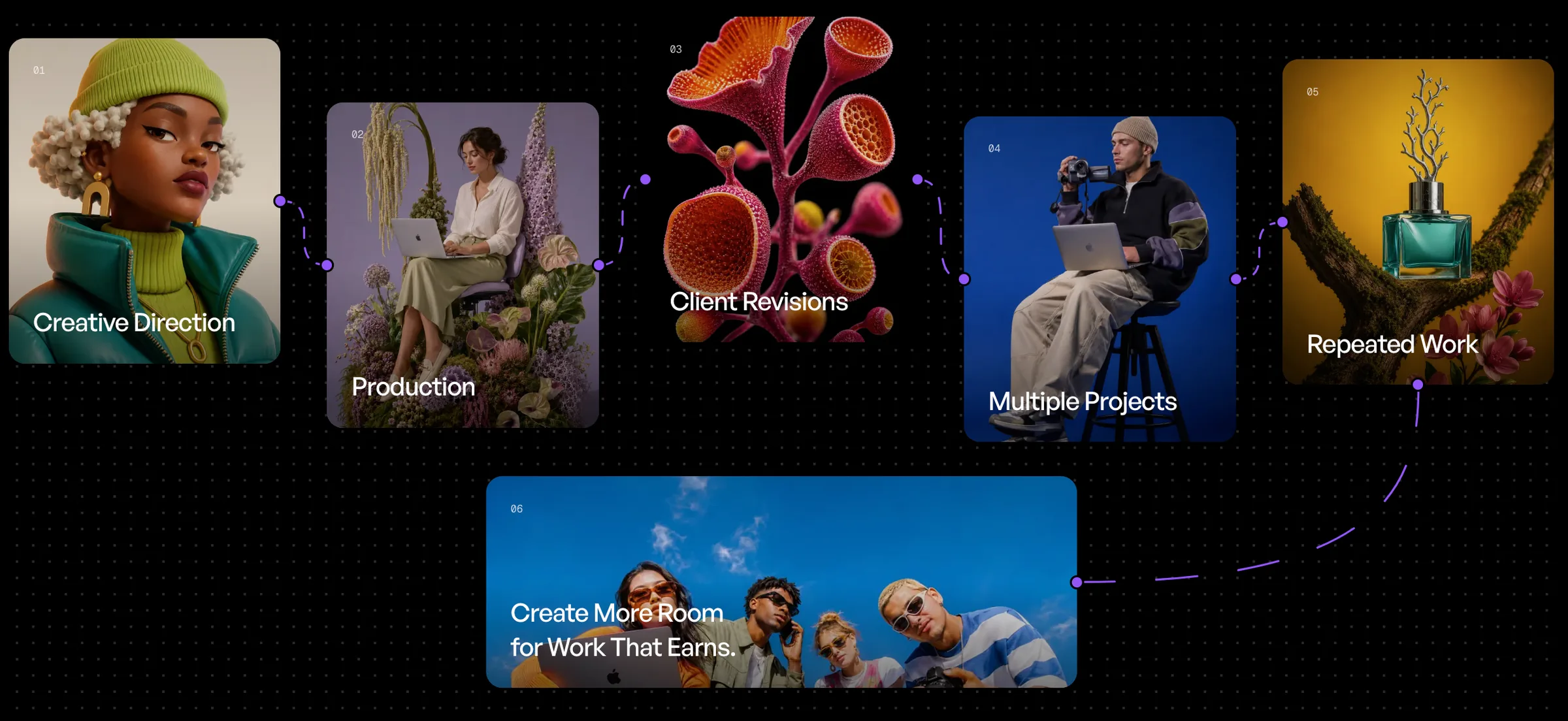

AI generation automation turns repetitive generative AI tasks into workflows that run with less manual work, so you design the process once instead of repeating it.
AI has made generating creative content dramatically faster. Images that once required hours of production can now be created in minutes. Videos, product visuals, campaign concepts, variations, and other creative assets can all be produced with increasingly capable generative AI models.
But faster generation does not automatically mean a faster workflow.
For many creators and teams, the work surrounding AI generation is still surprisingly manual: entering prompts one by one, uploading the same references repeatedly, changing variables, waiting for individual generations to finish, organizing outputs, and repeating the entire process whenever another variation is needed.
This is where AI generation automation becomes important.
Instead of using AI as a collection of isolated tools, automation turns generation into a repeatable production system. Tasks can be connected, reused, triggered, and scaled so that less time is spent operating tools and more time is spent directing the creative work itself.
What Is AI Generation Automation?
AI generation automation is the process of turning repetitive generative AI tasks into workflows that can run with less manual intervention.
A simple AI generation process might look like this:
Upload an asset → write a prompt → choose a model → generate → download the result → repeat.
That works when you need one output. It becomes inefficient when you need 20, 50, or hundreds of variations.
An automated workflow approaches the same task differently. The creator defines the process once, connects the required inputs and generation steps, and then lets the system execute that process repeatedly or when a specific trigger occurs.
The difference is significant: you stop repeating the process and start designing the process.
Why Manual AI Generation Becomes a Bottleneck
Generative AI can produce an individual asset quickly, but professional creative production rarely involves just one asset.
An e-commerce brand might need the same product visual across multiple environments, formats, and campaign variations. A creative agency might need dozens of concepts for several clients. A social team might need recurring content every week. A designer may want to test the same concept across multiple models, prompts, aspect ratios, or visual directions.
When every generation requires another manual action, the supposed speed advantage of AI begins to disappear.
The bottleneck is no longer necessarily the model. It is the workflow around the model.
This is why the next stage of generative AI is not simply about generating better content. It is about building better systems for generating it.
From AI Tools to AI Workflows
Most AI tools are designed around individual actions: enter something, generate something, receive an output.
A workflow connects those actions into a larger production process.
Instead of repeatedly setting up the same generation, creators can build a reusable structure where inputs, prompts, models, variables, and outputs work together. Once that structure exists, it can be adapted to different products, campaigns, clients, or creative directions without rebuilding everything from scratch.
This is the approach behind AgentDocks: giving creators and teams a visual environment for building and running AI generation workflows rather than treating every generation as a separate task.
The goal is not to remove creative direction. It is to automate the repetitive execution surrounding it.
Batch Generation: Create More Without Running Every Generation Manually
One of the clearest examples of AI generation automation is Batch Run.
Imagine you have created a workflow for producing high-end product campaign images. The structure is already defined, but you want to generate multiple variations using different products, prompts, variables, or creative inputs.
Without batch processing, each variation may need to be started individually.
With Batch Run in AgentDocks, multiple generation jobs can be processed through the workflow as a batch. Instead of repeatedly returning to the workflow and manually launching each variation, you can prepare the inputs and let the system execute them at scale.
This becomes especially useful for:
- Product catalogs and e-commerce visuals
- Campaign variations
- Social media content production
- Creative testing and experimentation
- Multiple client assets
- Different prompts or visual directions
- High-volume image and video generation
The value is not simply that more images can be generated. It is that the repetitive operational work between those generations is reduced.
For an individual creator, that means less clicking and waiting. For an agency or creative team, it can mean turning a successful workflow into a repeatable production pipeline.
Trigger Run: Let Workflows Start Automatically
Batch processing solves one side of automation: running many jobs efficiently.
But what if the workflow could begin without someone manually pressing Run at all?
That is where Trigger Run becomes useful.
Trigger-based workflows allow a generation process to begin when a defined event or input activates it. Instead of someone constantly returning to the platform to initiate the next step, the workflow can become part of a broader automated system.
This changes the role of AI generation from something that must always be manually requested into something that can operate as part of an ongoing process.
For example, a team could build a workflow where new structured input initiates a predefined creative generation process. The exact workflow can change depending on the use case, but the underlying principle remains the same:
an event happens → the workflow starts → the generation process runs.
For teams handling recurring or high-volume production, this can remove another layer of repetitive work and make AI generation easier to integrate into existing operations.
Automation Does Not Mean Giving Up Creative Control
A common misconception about creative automation is that automating more of the process means having less control over the result.
It should be the opposite.
Good automation removes repetitive decisions while preserving the decisions that actually matter.
The creator still determines the concept, prompt logic, references, models, variables, generation structure, and desired output. Automation simply allows those decisions to be executed consistently without rebuilding the process every time.
Think of it less like handing creativity over to a machine and more like building your own creative production system.
You define how the system works. Then the system handles the repetition.
Why Reusable AI Workflows Matter
The real advantage of automation appears when a workflow becomes reusable.
If a creative process works once, there is value in being able to use it again.
A strong product photography workflow, for example, should not have to disappear after one product. The same underlying system can potentially be reused with a different product, background, campaign color, visual reference, prompt variable, or output format.
That turns creative knowledge into infrastructure.
Instead of keeping successful processes scattered across prompts, tabs, tools, and personal notes, teams can build repeatable workflows around them. This can improve consistency, reduce setup time, and make proven creative processes easier to scale across projects.
For agencies, this is particularly powerful. A workflow developed for one type of production can become a reusable internal system that helps teams handle larger volumes of creative work without increasing manual operations at the same rate.
What Should You Automate First?
Not every part of creative work needs automation.
The best place to start is usually the work that is repetitive, structured, and performed frequently.
If you repeatedly upload similar inputs, run the same sequence of generation steps, create many variations, adjust predictable variables, or execute the same workflow for different products or clients, there is probably an opportunity to automate part of that process.
A useful question to ask is:
If I need to do this 100 times, which parts would I hate doing manually?
Those are often the first steps worth automating.
Creative judgment, experimentation, and direction can remain human. The repetitive execution around them does not have to be.
Building Automated AI Generation Workflows With AgentDocks
AgentDocks is built around this shift from individual AI generations to connected creative workflows.
Creators can visually build generation systems, connect different steps, define inputs and variables, work with AI models, reuse successful processes, and automate how those processes are executed.
Features such as Batch Run help scale one workflow across multiple jobs, while Trigger Run makes it possible to move toward event-driven generation where workflows can start automatically as part of a larger process.
For creators, this means spending less time repeating setup work.
For teams and agencies, it creates a way to transform AI experimentation into structured production systems that can be reused and scaled.
And as generative AI becomes part of more creative workflows, that distinction will matter increasingly: the advantage will not only come from having access to powerful models, but from how efficiently those models are connected, controlled, and put to work.
The Future of AI Creation Is Automated
The first wave of generative AI was about access: suddenly, millions of people could generate images, videos, text, and other content with AI.
The next challenge is orchestration.
As the number of models, tools, assets, and generation possibilities grows, manually managing every step becomes less practical. Creators need systems that can connect those capabilities and turn them into reliable workflows.
That is where AI generation automation changes the equation.
Instead of generating one asset at a time, you can build a process. Instead of repeating successful prompts manually, you can create reusable workflows. Instead of launching every job individually, you can run them in batches or allow specific events to trigger them automatically.
The result is not creativity with less human involvement.
It is creative work with less repetitive work.
And that is the direction AgentDocks is built for: helping creators and teams move from simply using AI tools to building intelligent creative systems around them.