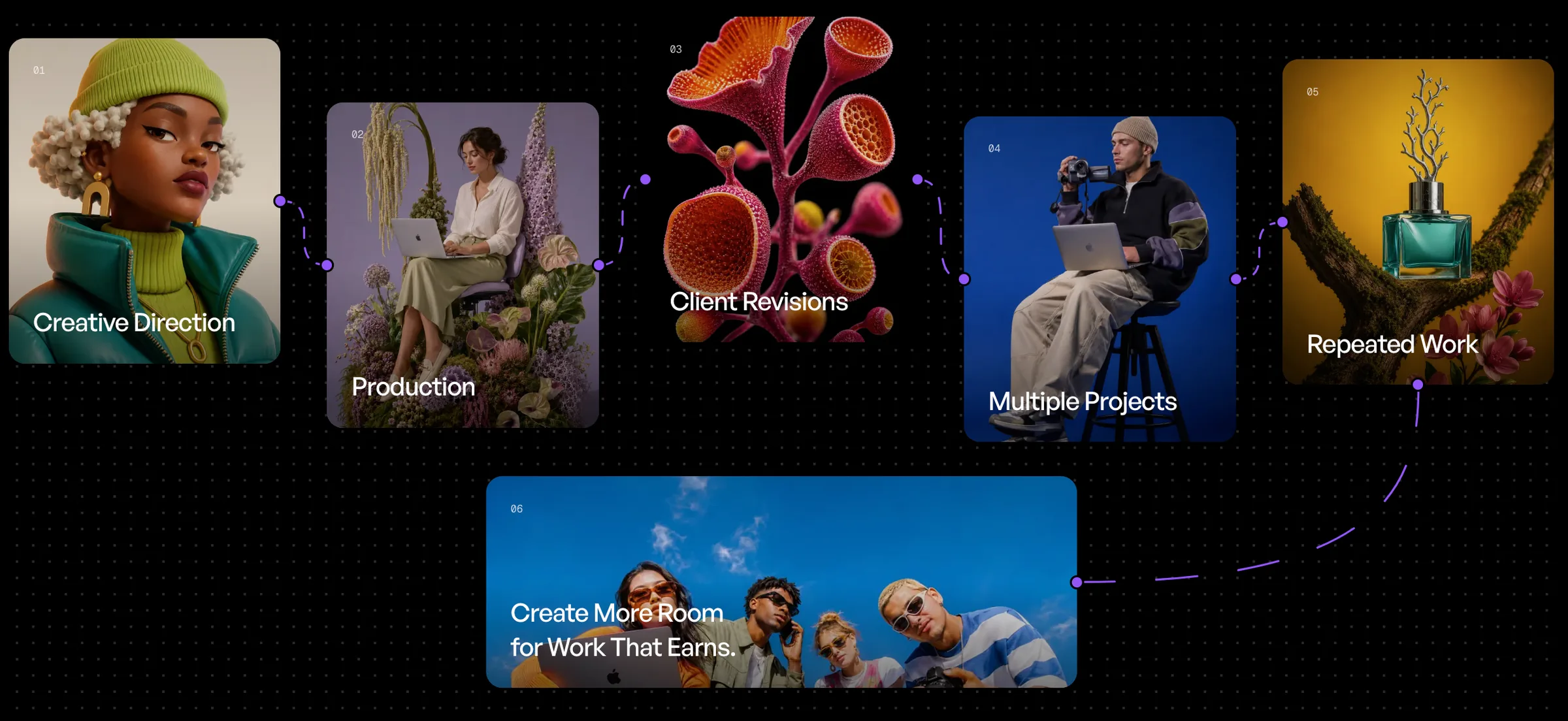

AI image generation is easy to start and surprisingly difficult to scale.
Creating one strong image from a prompt is one thing. Producing dozens, hundreds, or even thousands of consistent assets across products, campaigns, formats, and creative directions is something else entirely.
That is where an AI image generation pipeline becomes important.
Instead of treating every image as a separate prompt-and-generate task, a production pipeline turns image creation into a repeatable system. Inputs move through defined stages, outputs are refined automatically, variations are generated intentionally, and final assets are prepared for real use.
For creative teams, agencies, ecommerce brands, marketers, and content studios, this shift is what turns generative AI from an experimentation tool into a production tool.
In this guide, we will break down what an AI image generation pipeline looks like, why it matters, and how a platform like AgentDocks can help bring the entire process into one structured workflow.
What Is an AI Image Generation Pipeline?
An AI image generation pipeline is a connected sequence of steps that takes a creative input and turns it into one or more finished visual assets.
A simple pipeline might look like this:
Input → Generation → Variations → Retouching → Upscaling → Background Removal → Final Output
Each stage has a specific role.
The input defines what should be created. The generation stage produces the first image. Variation steps explore additional options. Retouching fixes or improves details. Upscaling prepares the image for higher-resolution use. Background removal creates flexible assets for ecommerce or design systems. Finally, the finished outputs are exported for use across websites, ads, social content, product pages, or campaigns.
The important difference is that these steps are not handled as disconnected manual tasks.
They become part of one repeatable workflow.
Why One-Off AI Generation Does Not Scale
One-off generation works when you need a single visual.
It becomes inefficient when you need a system.
Imagine an ecommerce team with 80 products. Each product needs a hero image, a lifestyle image, two social variations, a clean cutout, and a high-resolution version.
That is already hundreds of outputs.
If every asset requires manually uploading the same product, rewriting prompts, selecting settings, generating images, downloading files, opening another tool for retouching, opening another tool for upscaling, and then repeating the entire process for the next product, the workflow quickly becomes slower than expected.
The challenge is not simply generating images.
The challenge is managing repetition, consistency, quality, and volume.
A production pipeline solves this by turning repeated creative decisions into reusable workflow logic.
Stage 1: Start With Structured Inputs
Every reliable pipeline begins with clean inputs.
Depending on the workflow, an input might include:
- a product photo
- a model image
- a reference image
- a brand color
- a campaign direction
- a prompt
- a background style
- an aspect ratio
- a variable such as product name, category, or scene
The more structured the input, the easier it becomes to reuse the workflow.
For example, instead of creating a workflow specifically for one perfume bottle, you could build a workflow where the uploaded product is a variable.
The same pipeline can then be reused for another bottle, skincare product, beverage can, shoe, or accessory without rebuilding the process from scratch.
This is one of the biggest advantages of workflow-based AI production: the creative system stays the same while the inputs change.
Stage 2: Generate the Core Image
The next stage is the initial image generation.
This is where the main creative direction becomes visual.
A strong generation stage should define more than just a basic prompt. It can also control:
- composition
- camera angle
- lighting
- environment
- product placement
- color direction
- styling
- aspect ratio
- reference strength
- model choice
Different AI image models have different strengths.
One model may perform better at photorealistic products. Another may be stronger at typography, fashion, surreal environments, or preserving visual references.
In a production environment, model selection becomes part of the pipeline rather than a separate decision every time.
With AgentDocks, multiple generation tools can be organized inside the same workflow, allowing creators to build production systems around the models that work best for each stage.
Stage 3: Create Variations Intentionally
Variation is one of the most useful parts of generative AI, but random variation can quickly create more work instead of less.
A production pipeline should generate variations with a purpose.
For example, one core product image could branch into:
- a different camera angle
- a new background
- another lighting setup
- a seasonal color variation
- a social-media crop
- an ecommerce composition
- a more experimental campaign version
Instead of manually prompting each variation, the pipeline can branch from the same input and reuse the relevant product, reference, or creative direction.
This is especially useful when creative teams need to explore multiple options while keeping the product or campaign visually consistent.
Stage 4: Retouch and Refine
A generated image is not always the finished image.
Small visual issues may still need to be corrected.
Retouching can include:
- cleaning unwanted artifacts
- fixing small product details
- removing distracting objects
- improving texture
- correcting lighting
- refining hands or faces
- adjusting composition
- replacing a background element
- improving branding visibility
In a manual workflow, this often means downloading the image and moving into another application.
In a pipeline, retouching can become another connected stage.
That makes refinement repeatable instead of improvised.
For teams working at scale, this is important because quality control is not just about producing an attractive first generation. It is about making sure every output can reliably reach the standard required for publishing.
Stage 5: Upscale for Real Production Use
AI images are often generated at resolutions that are useful for previewing but may not be ideal for every production environment.
An upscaling stage helps prepare selected outputs for:
- ecommerce
- advertising
- presentations
- social campaigns
- websites
- large-format creative
Upscaling should not simply make an image larger.
A good production workflow should preserve texture, edges, product details, and overall visual quality while increasing resolution.
By placing upscaling near the end of the pipeline, teams can avoid wasting processing time on images that were never selected.
Generate first, refine second, upscale the approved results.
Stage 6: Remove Backgrounds When Needed
Background removal is another step that is easy to underestimate.
For ecommerce and product design, a single generated image may need to exist in several formats:
- full lifestyle scene
- transparent PNG
- white-background product shot
- isolated product asset
- compositing-ready cutout
Instead of manually processing every finished image, background removal can become a dedicated workflow stage.
This gives teams both the styled campaign image and a flexible isolated asset from the same production process.
The result is a much more useful output library.
Stage 7: Produce Final Outputs
The final stage is not simply "download image."
A proper production pipeline should think about where the image is going next.
Different channels require different outputs.
A campaign may need:
- 1 social assets
- 4 Instagram posts
- 9 stories or reels covers
- 16 website banners
- transparent PNGs
- high-resolution master files
- product-page images
- ad variations
A well-designed pipeline can prepare multiple outputs from the same source workflow.
This turns one generation process into a complete asset-production system.
Where Batch Generation Changes Everything
Once a workflow is reusable, the next step is running it across multiple inputs.
This is where batch generation becomes especially powerful.
Instead of processing one image at a time, a team can run the same production workflow across multiple products, prompts, scenes, or variables.
For example:
20 product images → one workflow → multiple finished campaign assets per product
The workflow does not need to be rebuilt 20 times.
The inputs change. The production logic remains consistent.
In AgentDocks, Batch Run makes this type of workflow especially useful for creators who need to produce at volume without repeating the same setup manually.
Batch processing can be valuable for:
- ecommerce catalogs
- product launches
- social content
- ad variations
- seasonal campaigns
- multiple SKUs
- agency client work
- creative testing
The real advantage is not just speed.
It is repeatability.
Why Reusable Workflows Matter
The most valuable AI workflow is not necessarily the one that creates the most complicated image.
It is the one you can use again.
A reusable pipeline captures creative knowledge.
It can preserve:
- prompt structure
- preferred models
- reference setup
- generation order
- refinement steps
- output formatting
- quality standards
That means a workflow built for one successful campaign can become the starting point for the next one.
Teams do not need to rediscover the same process every time.
They can improve the system instead.
From Prompting to Creative Operations
This is the larger shift happening in AI image generation.
The first phase of generative AI was about prompting.
The next phase is about orchestration.
Creative teams increasingly need systems that can coordinate models, references, transformations, variations, and final outputs without forcing people to repeat the same manual actions.
That changes the role of AI in production.
Instead of asking:
"What prompt should I use?"
The more useful question becomes:
"What workflow should this image move through?"
That is the difference between AI experimentation and AI production.
Building the Pipeline in AgentDocks
AgentDocks is designed around this workflow-first approach.
Rather than treating each AI generation as an isolated action, creators can build connected visual workflows that define how an asset should move from input to finished output.
A typical workflow might include:
Upload product → Generate hero image → Create variations → Refine selected result → Upscale → Remove background → Export final assets
That workflow can then be reused, adapted, or run in batches.
Different models and creative steps can live inside the same production environment, making it easier to manage the full process without constantly moving between disconnected tools.
For individuals, that means less repetitive work.
For teams, it means a more consistent production system.
For agencies and brands, it means generative AI can start functioning like real creative infrastructure rather than a collection of separate experiments.
What Makes a Good AI Image Production Pipeline?
A strong pipeline should be:
Repeatable. You should be able to use it again without rebuilding it.
Flexible. Inputs, references, colors, products, or creative directions should be easy to change.
Consistent. Repeated runs should follow the same production logic.
Modular. Individual steps should be adjustable without redesigning the entire workflow.
Scalable. The pipeline should work for one asset or a batch of many assets.
Quality-focused. Generation is only one stage; refinement and final production matter too.
The goal is not to automate creativity out of the process.
The goal is to automate the repetitive work around creativity.
The Future of AI Image Generation Is Workflow-Based
AI image generation is becoming less about producing a single impressive image and more about building systems that can produce useful visual content repeatedly.
For professional creative work, the workflow around the model matters just as much as the model itself.
Inputs need structure.
Generation needs direction.
Variations need purpose.
Images need refinement.
Outputs need to be production-ready.
And the entire process needs to be reusable.
That is what turns AI image generation into a production pipeline.
With platforms like AgentDocks, creators can move beyond generating one image at a time and start building repeatable systems for creating, refining, scaling, and delivering visual content.
The result is not simply faster generation.
It is a better way to produce.