
AgentDocks V3 is the biggest update we have ever shipped. We rebuilt the platform around one idea: working with AI should feel like running a production, not like collecting one-off generations.
That idea touches every part of the product, so this post is the full tour. Here is what is new.
Two Ways to Create
V3 gives you two surfaces that share the same models, the same credits, and the same projects.
Create Studio is the fast way in. A composer with image and video tabs, a model picker across the full catalog, reference images, and controls that adapt to whichever model you choose. Every result keeps its full recipe: the prompt, the model, the ratio, and every setting that produced it, so you can reuse any generation or turn it into a reference with one click.
The Node Editor is where a result becomes a process. And the two surfaces now connect: any Studio generation, selection, or whole project can be converted into a wired node graph. Your references become input nodes, your settings carry over, and the canvas is ready to run again.
Start fast in the Studio. When a result deserves a process, open it in the Node Editor and keep building.
Creative Intelligence Nodes
The node palette has a new group called Creative Intelligence. Each of these nodes carries professional setup inside it, so a complicated shot becomes a small set of clear choices instead of a long prompt.
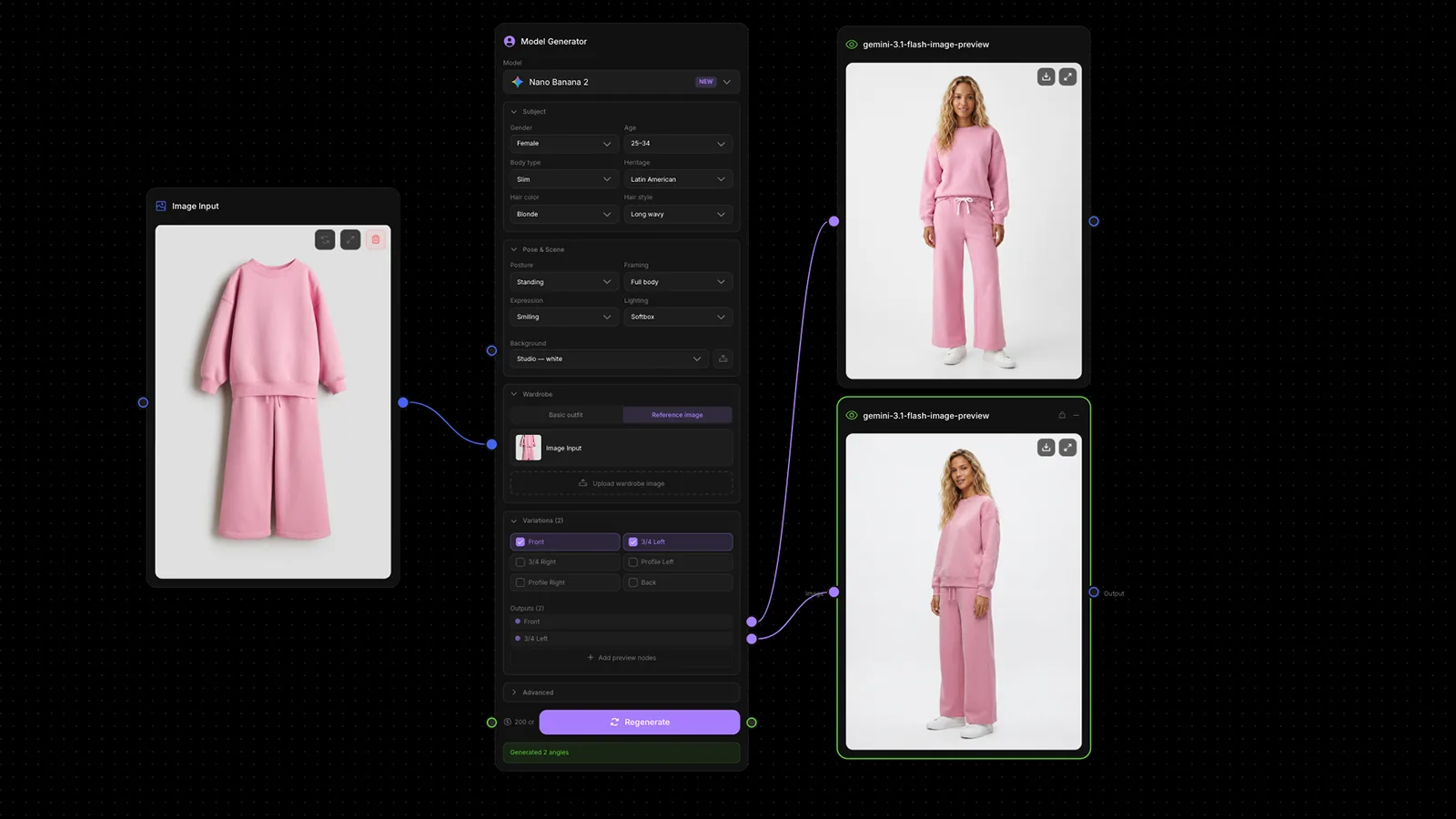
- Model Generator: Create a photoreal human model from curated options like age, heritage, wardrobe, posture, and lighting, or from your own reference images, with multi-angle output and variants.
- Camera Angle: Re-photograph an image from a new camera position. Pick a preset or move the camera yourself with a 3D gizmo and orbit, height, and zoom controls.
- Character Sheet: Turn one character into a labeled reference sheet: a full sheet, turnaround views, expressions, or poses. One input, one consistent reference for everything after it.
- Image to Prompt: Read a reference image and write generation prompts from it, tuned to recreate the shot or adapt it for your own product.
Two more are already on the palette as coming soon: Relighting and Storyboard.
Design Studio
Design Studio brings layered design work into the workflow itself. It is a node: wire an image into its background, open the full-screen editor, and lay text, image, and shape layers on top.
It comes with:
- Canvas presets for Instagram, TikTok, X, LinkedIn, Facebook, YouTube thumbnails, and slides
- Full typography: fonts, weights, spacing, stroke, and shadow, with automatic right-to-left support for Arabic
- Text presets, saved colors, snapping, and a proper layers panel
- Export at native resolution, and a Design output port that feeds the next node
A generated image can become a finished post, thumbnail, or ad without leaving the canvas.
Motion Control
Motion Control is a new generative node that transfers movement from a reference video onto a character image. Give it a clip and a character, and the character performs the motion.
It runs end to end inside a workflow, which means the character you built with Model Generator or Character Sheet can go straight into motion in the same canvas.
Batch Production, End to End
V3 makes volume a first-class part of the canvas.
Image Bulk brings a whole set of product images in as one input. Batch Run pushes each item through the same wired process and shows a live matrix while it works: every square is one item moving through one generator, and the full price sits on the button before you commit. Bulk Output collects the results in one grid, grouped by source, so a sixty-item run is reviewed in one place.
- Image Bulk
- Batch Run
- Bulk Output
We wrote a full post on this one: Batch Run: One Workflow Across a Whole Catalog.
A Full Color Suite
Color work used to mean leaving the canvas. V3 ships a Color Correction group with ten nodes: Levels, Brightness and Contrast, Color Correct, Color Balance, Curves, Invert, Noise and Grain, LUT, Filters, and Color Match.
Filters comes with fourteen named looks, from Y2K and VHS Warm to Food Boost and Mono Fade. LUT ships twelve house looks and accepts your own .cube files. Everything except Color Match runs instantly on your machine and costs no credits.
Color Match is the AI member of the group: give it an original and a campaign reference and it matches the grade, with separate toggles for re-coloring and re-lighting.
A whole set can leave the workflow already graded, matched, and consistent.
Finishing Tools
The Tools group grew into a full finishing pass:
- Upscale: Three dedicated upscaling models to choose from for final-resolution output.
- Remove Background: Eight background-removal models, each showing only the controls it really has.
- Crop & Resize: Crop, exact output sizes, ratio presets, flip and rotate. Free and instant.
- Painter: Draw arrows, circles, and short notes directly on an image, then feed the marked-up result to an edit-capable model.
- Describer: Image in, one generation-ready prompt out.
- Prompt Enhance: A rough prompt in, a model-tuned prompt out.
- Color & Color Palette: Exact colors and full palettes as wireable inputs, including palettes extracted from any image.
Prompt Variables and Enhance
Prompts learned two new tricks in the Node Editor.
Write [product] or [scene] inside a generate node's prompt and it becomes a variable: a live input port you can wire from anywhere in the workflow. Variables render as chips inside the prompt and show the value they are receiving, so one workflow serves many jobs by swapping what flows into it.
And both generate nodes now have Enhance built in: one tap turns a rough prompt into a model-tuned one without leaving the node.
Telegram and Schedules
V3 lets workflows run without you at the keyboard.
Telegram is connected end to end. Pair your own bot in a minute, and the chat becomes a remote control: send a product photo from your phone, a trigger word starts the wired workflow, and the results come back to the same conversation. Sending can be automatic on completion or manual when you want to review first.
Schedule Trigger runs workflows on a clock: every few hours, daily at a time, weekly, or on a custom cron rule. The node shows the next fire, the last fire, and pauses itself if a workflow keeps failing.
Content that makes itself, on your schedule or from your pocket.
My Assets and Brand Systems
Everything you generate or upload now lives in My Assets: one library with filters for generated and uploaded media, images and video. It is also a picker inside the editor and Design Studio, so any past result is one click from becoming an input.
Brand Systems sits on top of it. Each brand gets a named container for its logos, colors, and references, linked from your library rather than copied. Client work starts from the client's own system instead of a folder hunt.
The Newest Models, Same Nodes
V3 launched with the strongest model lineup we have ever offered. On the image side that includes Nano Banana Pro, GPT Image 2, Seedream 4.5, Imagen 4, and the FLUX.2 family. On video: Kling 3, Seedance 2.5, Veo 3.1, Sora 2, and Runway Gen-4.5, among others.
The part we care about most is that none of them changed the workflow. New models land as options inside the same Image Generate and Video Generate nodes, which is a deliberate design choice we wrote about in Why We Built One Node for Every Image Model.
Also in V3
- Ask AI, a docked assistant inside the Node Editor that answers questions about nodes, models, and errors while you keep working
- Public documentation at /docs, starting with onboarding and the core workflow guides
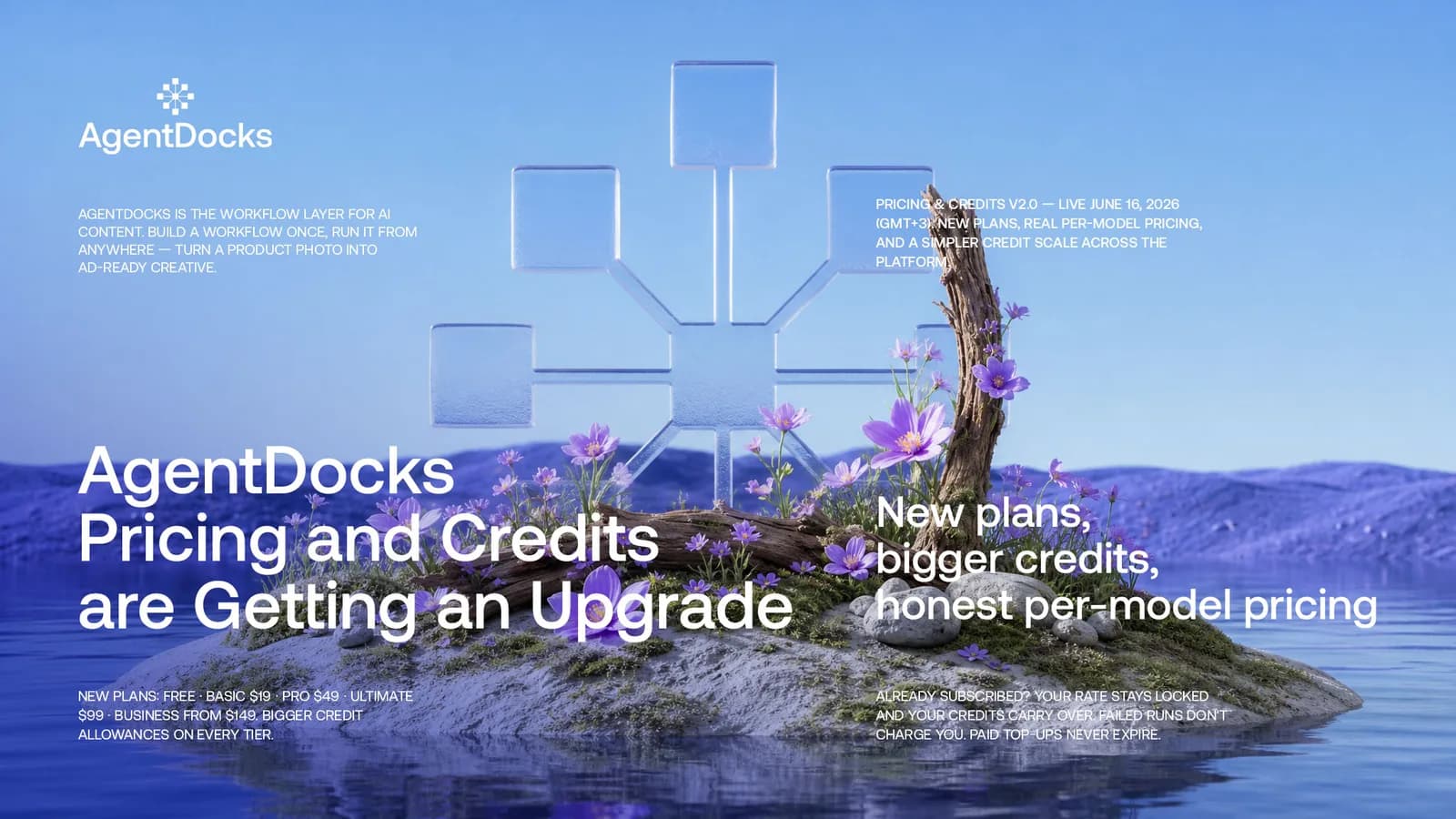
- New plans: Free, Basic, Pro, Ultimate, and Business, with credit top-ups and a live cost estimate on every run button
- Project export and import, workflow copying, and duplicate project, so a working setup can travel
- A proper trash across the whole account, with restore
Built for Production
Every piece of V3 points the same direction. Generation is the easy part now. The hard part is keeping quality, consistency, and volume under control while the work grows, and that is what a production platform is for.
Build once. Run forever.
V3 is live today. Open it and see how far one workflow can carry your work.